
If you’re looking for the best smart dimmer switches that don’t need neutral wires, I recommend options like Leviton Decora, GE CYNC, and MoES, which support easy installation in older homes. These switches work with single-pole setups and many are compatible with Alexa, Google, or Apple devices. They often support dimming, scene control, and multi-location options. To find the perfect fit for your project and learn about their features, keep exploring these choices.
Key Takeaways
- Look for switches specifically designed for no-neutral wiring, supporting retrofit installations in older homes.
- Choose models compatible with your smart home ecosystem (Alexa, Google, Apple) and support voice control.
- Ensure the switch supports dimming functions and can control the types of bulbs in your fixtures.
- Check for easy installation features such as clear wiring diagrams and minimal wiring adjustments.
- Consider switches with reliable app control, scheduling, and multi-location support for added convenience.
Leviton Decora Smart No-Neutral Dimmer & Wi-Fi Bridge Kit
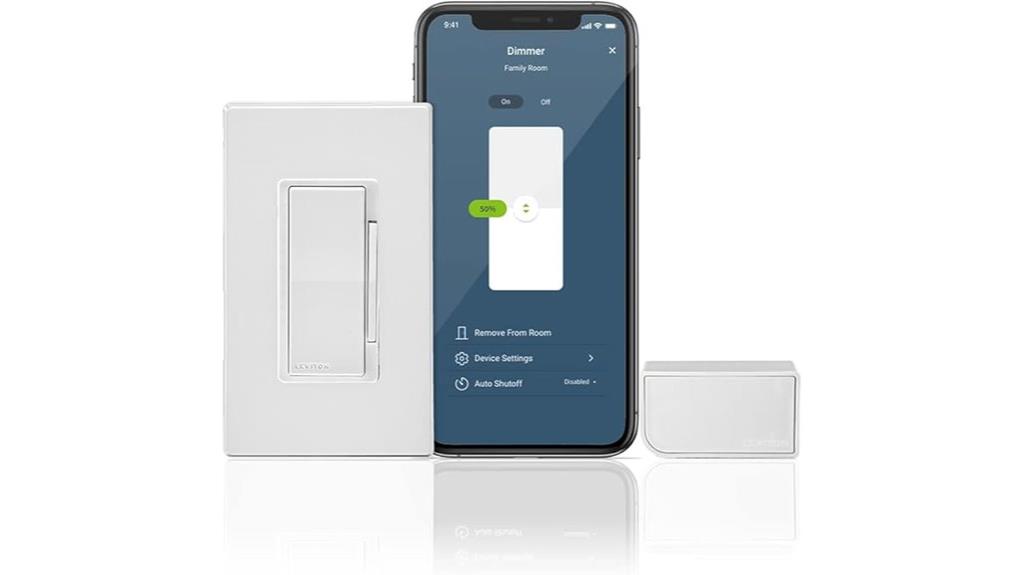
If you’re upgrading an older home without neutral wiring, the Leviton Decora Smart No-Neutral Dimmer & Wi-Fi Bridge Kit is an excellent choice because it’s specifically designed for retrofit installations. It includes a dimmer compatible with LED, CFL, incandescent, and MLV loads, supporting up to 600W. The kit also features a plug-in Wi-Fi bridge that connects to your app and voice assistants like Alexa, Google, or Siri. It supports multi-location control with wireless switches, requires no neutral wire, and covers up to 25 devices within 2,500 sq. ft. This system makes smart lighting easy without rewiring your home.
Best For: homeowners with older houses lacking neutral wiring who want a reliable, easy-to-install smart lighting solution compatible with multiple voice assistants.
Pros:
- Specifically designed for retrofit installations without neutral wiring
- Supports a wide range of bulb types including LED, CFL, incandescent, and MLV up to 600W
- Allows multi-location control with wireless companion switches, eliminating wiring needs
Cons:
- Limited to indoor use with an IP00 rating, not suitable for outdoor environments
- Requires a Wi-Fi connection and app setup, which may be challenging for less tech-savvy users
- Supports only up to 25 devices per Wi-Fi bridge, potentially limiting larger smart home setups
GE CYNC Smart Dimmer Light Switch & Motion Sensor
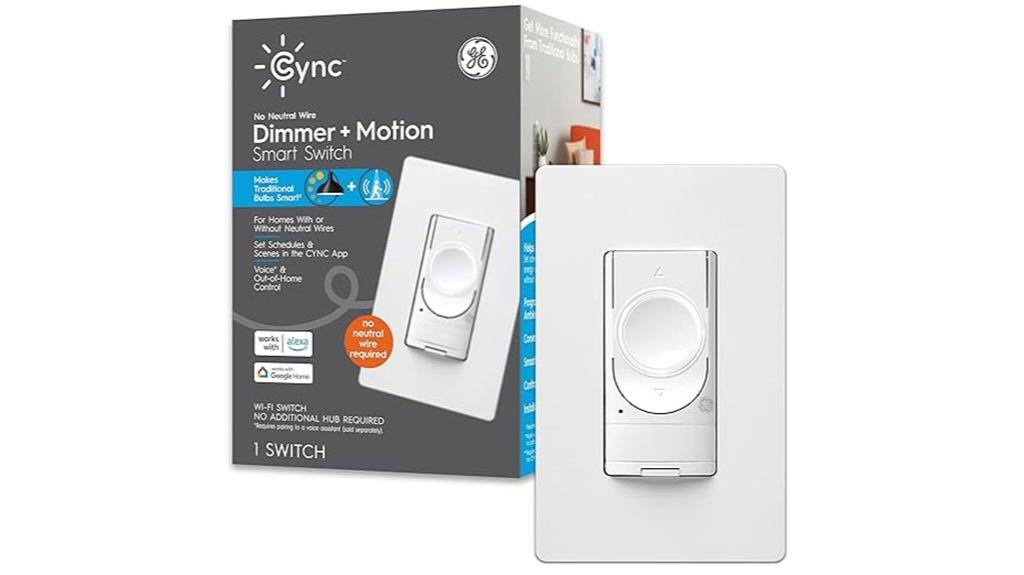
The GE CYNC Smart Dimmer Light Switch & Motion Sensor stands out for homeowners with older homes built before the 1980s, as it requires no neutral wire for installation. This makes it an ideal upgrade for those tricky wiring setups. It offers remote dimming, scheduling, and scene control via the CYNC app, and supports voice commands with Alexa and Google Home (sold separately). Its built-in motion sensor and ambient light detection help automate lighting based on natural light and movement, saving energy. Just confirm your home has a ground wire and 2.4 GHz WiFi, and verify bulb compatibility before buying.
Best For: homeowners with older homes built before the 1980s seeking an easy-to-install smart lighting upgrade without neutral wires.
Pros:
- No neutral wire required, ideal for pre-1980s wiring setups
- Includes motion sensor and ambient light detection for automatic lighting control
- Compatible with Alexa and Google Home for voice commands (sold separately)
Cons:
- Requires a ground wire and 2.4 GHz WiFi, which may not be available in all homes
- Bulb compatibility should be verified before purchase
- App and voice control features depend on separate device compatibility
Kasa Smart Dimmer Switch HS220, Single Pole, Needs Neutral Wire
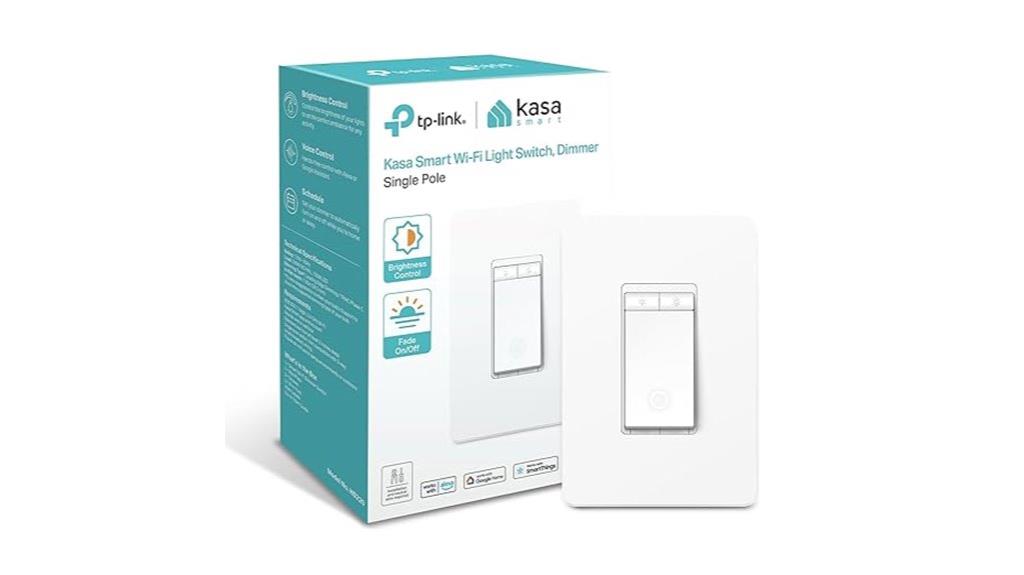
The Kasa Smart Dimmer Switch HS220 stands out for those with single-pole wiring setups that include a neutral wire, making installation straightforward and reliable. It’s Wi-Fi enabled, supports 2.4 GHz networks, and integrates seamlessly with Alexa, Google Home, and Apple HomeKit via the Matter protocol. The switch offers smooth dimming, gentle fade-off, and customizable scheduling, including Away Mode for security. Its compact size fits most electrical boxes, though larger ones may be needed. Setup is guided by the Kasa app, and the switch’s stable Wi-Fi connection and easy troubleshooting make it a dependable choice for smart lighting control in American homes with 110V supply.
Best For: homeowners with single-pole wiring and a neutral wire seeking reliable, seamless smart dimmer control compatible with multiple voice assistants and smart home ecosystems.
Pros:
- Supports 2.4 GHz Wi-Fi and integrates effortlessly with Alexa, Google Home, and Apple HomeKit via Matter protocol
- Features smooth dimming, gentle fade-off, and customizable scheduling including Away Mode for security
- Compact design fits most electrical boxes, with stable Wi-Fi connection and straightforward app setup
Cons:
- Installation may require larger electrical boxes, which could be challenging in some setups
- Setup, especially for Matter protocol integration, can be complex and may require factory resets
- Compatible only with American homes using 110V supply, not suitable for UK 230/240V systems
Leviton No-Neutral Decora Smart Dimmer Switch
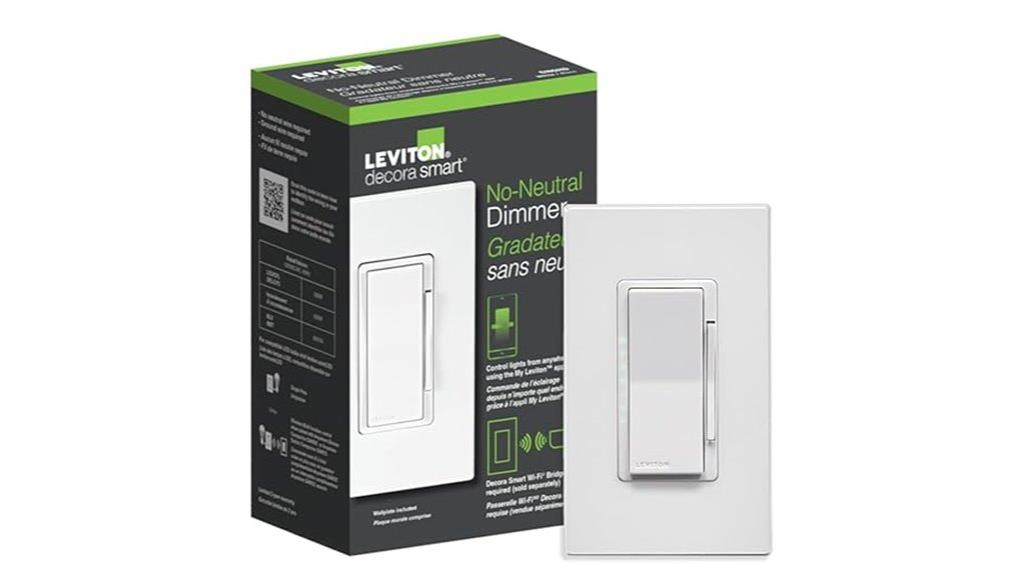
For homeowners with older wiring setups lacking neutral wires, the Leviton No-Neutral Decora Smart Dimmer Switch offers an excellent solution. It enables remote lighting control via Wi-Fi and works with Alexa, Google Assistant, and Apple Siri (with a Wi-Fi bridge). Designed for retrofit projects, it supports full-range dimming, preset levels, and custom settings through the My Leviton app. Compatible with LED, CFL, incandescent, and MLV bulbs, it’s easy to install using line, load, and ground connections. Despite some initial pairing challenges, users find it reliable once set up. Its multi-location control options and stylish design make it a versatile, user-friendly choice for older homes.
Best For: homeowners with older wiring setups lacking neutral wires seeking a reliable, customizable smart dimmer switch compatible with voice assistants.
Pros:
- Supports full-range dimming and custom preset levels via the My Leviton app
- Compatible with various bulb types including LED, CFL, incandescent, and MLV
- Easy retrofit installation suitable for older homes without neutral wiring
Cons:
- Initial pairing and setup may be challenging or require multiple attempts
- Occasional flickering or delayed commands if not wired correctly or with incompatible bulbs
- Limited to four LED bulbs at full brightness before flickering or rebooting occurs
MOES WiFi Smart Light Switch with No Neutral Wire
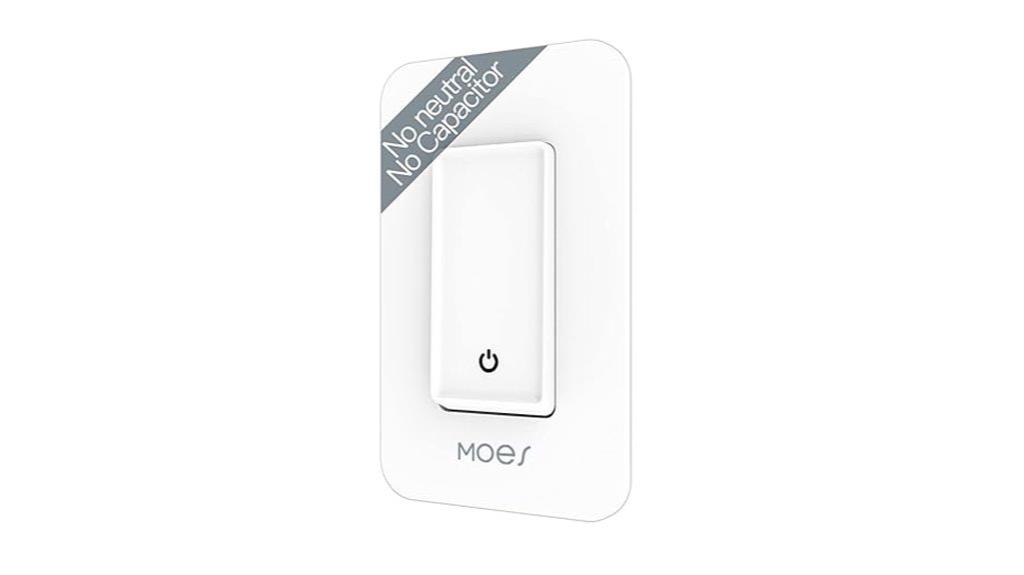
If you’re looking for a smart switch that’s easy to install without rewiring, the MOES WiFi Smart Light Switch is an excellent choice. It uses a single live wire design, so no neutral wire, capacitor, or hub is needed. Built with fire-retardant materials and arc-free technology, it guarantees safe, reliable operation. The switch supports overloading and overheating protection for added safety. After wiring, turn on the power for 5-7 minutes before first use, keeping the light on during pairing. Compatible with 2.4G WiFi and voice assistants like Alexa and Google Home, it offers flexible control options.
Best For: homeowners and DIY enthusiasts seeking an easy-to-install, safe, and wire-free smart light switch compatible with WiFi and voice assistants.
Pros:
- No neutral wire, capacitor, or hub required, simplifying installation.
- Built with fire-retardant materials and arc-free technology for enhanced safety.
- Supports remote control via WiFi and voice commands with Alexa and Google Home.
Cons:
- Only compatible with single pole, one-way circuits.
- Requires keeping the light on during pairing, which may be inconvenient.
- Supports a minimum wattage of 7W, limiting use with very low wattage bulbs.
MOES Touch Wall Smart Light Switch, No Neutral, WiFi & RF433, Alexa & Google Compatible

Homeowners without neutral wiring will find the MOES Touch Wall Smart Light Switch an excellent choice, as it requires no neutral wire and supports single pole circuits. It features touch control, app management, voice commands via Alexa and Google Assistant, and RF433 remote compatibility. The switch supports timers, schedules, and maintains last relay status when powered off. Installation involves connecting the capacitor at the light fixture and wiring line and load, with some users adjusting capacitor placement for better performance. Though setup can be tricky, especially with app pairing, many appreciate its sleek tempered glass design and reliable operation once installed correctly.
Best For: homeowners seeking a sleek, no-neutral-wire smart switch compatible with WiFi, voice commands, and RF remote control, suitable for single pole circuits.
Pros:
- No neutral wire required, ideal for homes without neutral wiring.
- Supports app control, voice commands (Alexa & Google), and RF433 remote control.
- Modern tempered glass design with touch control and customizable backlight.
Cons:
- Installation can be tricky, requiring capacitor placement and proper wiring adjustments.
- Connectivity issues such as blinking WiFi indicators or disconnection over time may occur.
- Long-term reliability varies; some users experience switch failure or responsiveness issues after 2-3 years.
Leviton No-Neutral Decora Smart Switch
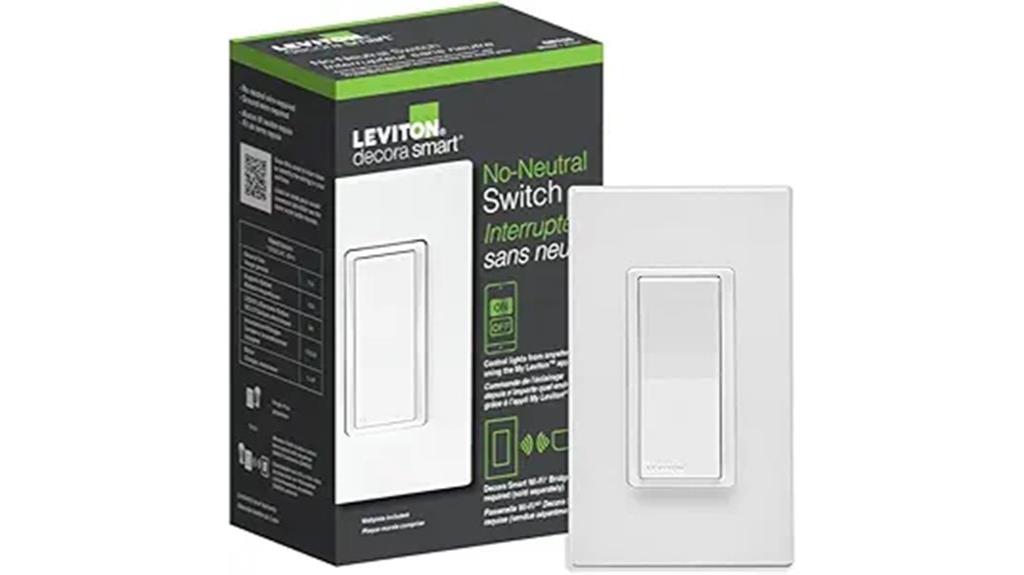
The Leviton No-Neutral Decora Smart Switch stands out for its compatibility with popular voice assistants like Alexa, Google Assistant, and Apple Siri, provided you use the optional MLWSB Wi-Fi Bridge. This makes voice control easy and seamless when connected with the bridge. Designed for homes without neutral wiring, it’s simple to install by connecting the LINE, LOAD, and GROUND wires. It supports a variety of loads, including LED, CFL, incandescent, and motors up to 3/4 HP. Plus, pairing with the optional Anywhere Switch enables wireless 3-way control, making multi-location lighting effortless without extra wiring.
Best For: homeowners seeking a neutral-wire-free smart switch compatible with voice assistants and multi-location control for modern smart homes.
Pros:
- Compatible with Alexa, Google Assistant, and Apple Siri via optional Wi-Fi Bridge for voice control
- Easy to install in homes without neutral wiring by connecting LINE, LOAD, and GROUND wires
- Supports a wide range of loads including LED, CFL, incandescent, and motors up to 3/4 HP
Cons:
- Requires the separately sold MLWSB Wi-Fi Bridge for smart features and voice control
- No built-in voice assistant compatibility without the bridge
- Limited to 15A general use, which may not suit higher-power appliances
GE CYNC Smart Light Switch, No Neutral Wire, WiFi & Bluetooth, Compatible with Alexa & Google, White

The GE CYNC Smart Light Switch is an excellent choice for anyone looking to upgrade their existing wiring without the hassle of installing a neutral wire. It’s a paddle-style switch that works with Bluetooth and 2.4 GHz WiFi, making setup straightforward and reliable. You can control your lights via the switch itself or through the Cync app, which supports scheduling, scenes, and remote control. It’s compatible with Alexa and Google Home for voice commands, with no hub needed. Plus, it includes a bulb adaptor to prevent flickering, ensuring a smooth and consistent performance. Its compact design fits seamlessly into standard switch boxes.
Best For: homeowners seeking an easy, wire-free way to upgrade their lighting control with smart features compatible with Alexa and Google without needing a neutral wire.
Pros:
- No neutral wire required, simplifying installation in existing setups
- Compatible with voice assistants like Alexa and Google for hands-free control
- Includes a bulb adaptor to reduce flickering and improve performance
Cons:
- Limited to 5A maximum load, which may not suit all high-wattage fixtures
- Requires 2.4 GHz WiFi and Bluetooth, which may have connectivity issues in certain environments
- Smart features depend on app and voice assistant compatibility, possibly requiring updates or additional devices
Lutron Caseta Smart Dimmer Switch (PD-6WCL-WH)
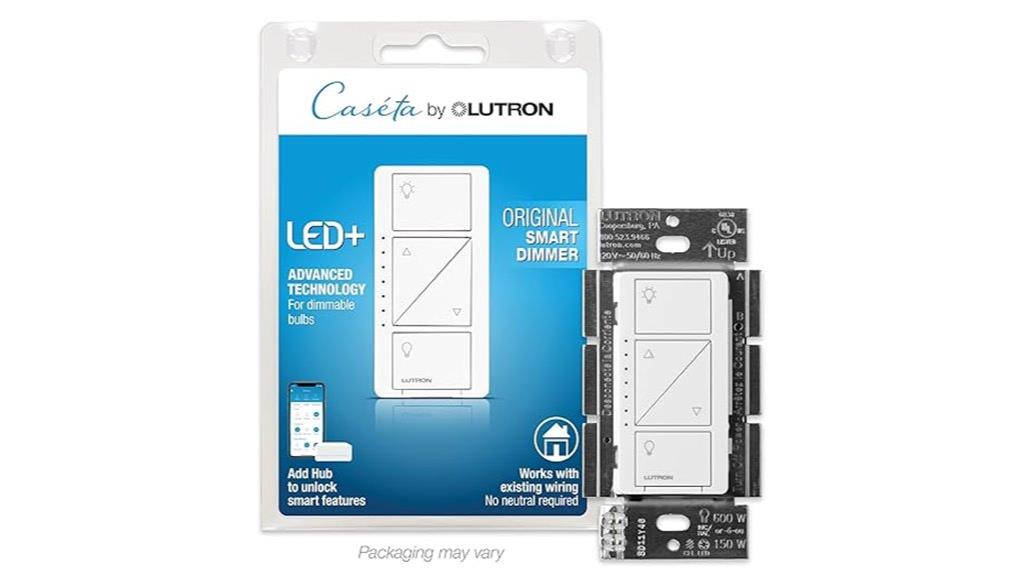
If you’re looking for a reliable smart dimmer switch that doesn’t require a neutral wire, the Lutron Caseta Smart Dimmer Switch (PD-6WCL-WH) is an excellent choice. It supports LED, incandescent, and halogen bulbs, with smooth dimming and a modern design. Installation is straightforward without needing a neutral wire, making it suitable for many homes. It integrates seamlessly with platforms like Alexa, Google, Apple HomeKit, and IFTTT, and offers automation features like scheduling and occupancy simulation. While pricier, its durability and reliable performance make it a top-tier option for those seeking easy, smart lighting control.
Best For: homeowners seeking a high-quality, reliable smart dimmer switch that is easy to install without needing a neutral wire and integrates well with multiple smart home platforms.
Pros:
- No neutral wire required, simplifying installation in many homes
- Seamless integration with Alexa, Google Assistant, Apple HomeKit, and IFTTT for versatile smart control
- Durable build with smooth dimming and reliable performance over years of use
Cons:
- Higher price point compared to traditional dimmers and some smart switches
- Triangular, angled buttons may be less intuitive or visually appealing to some users
- Does not include Pico remotes or wall plates; these accessories must be purchased separately
Amazon Basics Smart Dimmer Switch
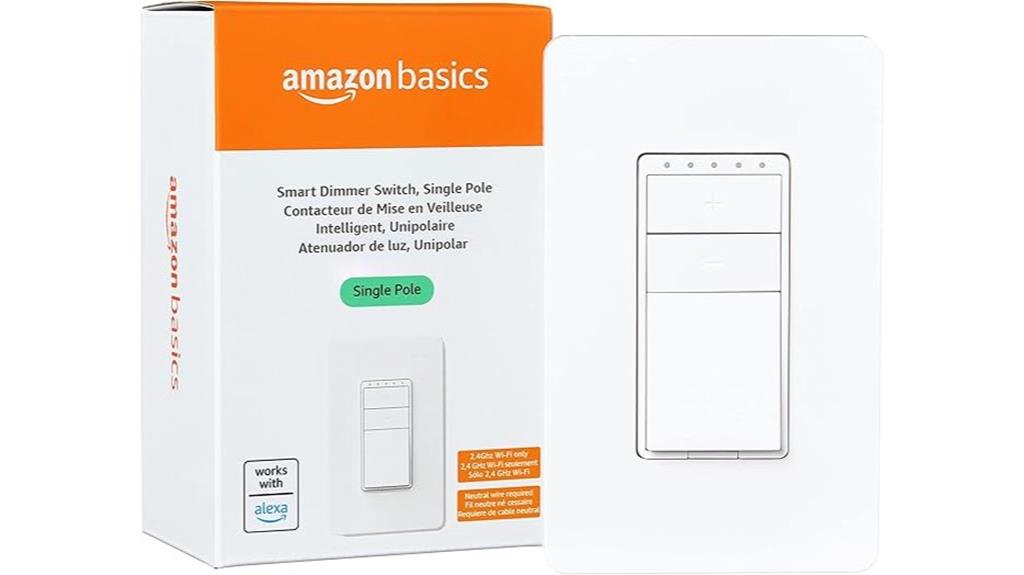
Designed specifically for Alexa users seeking simple voice control, the Amazon Basics Smart Dimmer Switch is an excellent choice for those with a compatible single pole setup. It works exclusively with Alexa and 2.4 GHz Wi-Fi, with no hub needed. The switch supports on-off-ON operation modes, handles up to 4 amps at 120V, and fits standard electrical boxes. Installation requires neutral wires, which can be tricky in some circuits. Once installed, it offers seamless voice control, scheduling, and routines via the Alexa app. Users praise its reliability, sleek design, and quick response after power outages, making it a dependable upgrade for smart home lighting.
Best For: homeowners with a compatible single pole wiring setup seeking easy, reliable voice control of their lighting via Alexa without the need for a hub.
Pros:
- Seamless Alexa integration with no hub required
- Reliable performance and quick response after power outages
- Sleek design that fits standard electrical boxes and home decor
Cons:
- Installation can be complicated in 3-way circuits or without neutral wires
- Limited to Alexa and 2.4 GHz Wi-Fi; no compatibility with other smart home ecosystems
- Regional restrictions may affect full functionality outside the U.S.
Lutron Diva Smart Dimmer Light Switch with Wallplate
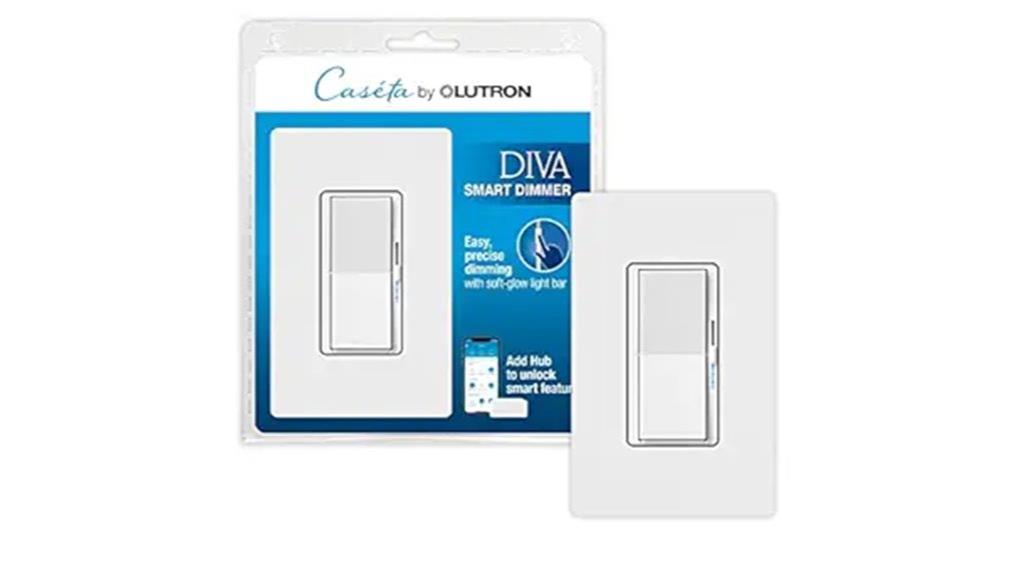
For homeowners seeking a reliable smart dimmer switch that integrates seamlessly with popular voice assistants and smart home systems, the Lutron Diva Smart Dimmer Light Switch with Wallplate is an excellent choice. It works with Alexa, Apple Home, Google Assistant, Ring, Serena shades, and Sonos via the Lutron Smart Hub. You can control it through an app, voice, or the wall switch itself. It offers precise dimming, preset brightness options, and can handle multiple bulbs at once, including LEDs and incandescent types. Plus, it’s easy to install, with no neutral wire needed, and features a sleek design that fits well in any home.
Best For: homeowners seeking a reliable, easy-to-install smart dimmer switch that seamlessly integrates with popular voice assistants and smart home systems.
Pros:
- Compatible with Alexa, Apple Home, Google Assistant, Ring, Serena shades, and Sonos via Lutron Smart Hub
- Supports precise dimming with preset brightness options and control of multiple bulb types, including LEDs and incandescent bulbs
- No neutral wire required, making installation straightforward and suitable for various wiring setups
Cons:
- Requires Lutron Smart Hub for full functionality, adding to initial setup costs
- Not suitable for low voltage applications or controlling non-dimmable bulbs
- Limited to single-pole/3-way configurations; may not support more complex wiring setups
Zigbee Smart Switch, 1-Pack

The Zigbee Smart Switch (Model: RP-ZB-S01) stands out as an ideal choice for homeowners seeking reliable voice control and automation without the hassle of neutral wires. Its rocker paddle design matches other RP series switches, creating a cohesive look. Compatible with Alexa, Google Home, SmartThings, Hubitat, and SmartLife, it offers versatile voice and app control. It supports single pole wiring and doesn’t require a neutral wire, making installation straightforward. Designed for 120VAC and supporting minimum 5W LED loads, this switch integrates seamlessly into existing smart home systems. Just connect it to a Zigbee hub, and you’re ready for automation and remote control.
Best For: homeowners seeking a reliable, easy-to-install smart switch compatible with popular voice assistants and Zigbee hubs, without the need for neutral wiring.
Pros:
- Easy installation with no neutral wire required, ideal for retrofit projects.
- Compatible with major smart home platforms like Alexa, Google Home, SmartThings, and Hubitat.
- Uniform design and integration with RP series switches for a cohesive home aesthetic.
Cons:
- Supports only single pole switching; not suitable for 3-way smart switch configurations.
- Does not support dimming functions—only ON/OFF relay control.
- Requires a Zigbee 3.0 hub for operation, adding an extra device to the setup.
Kasa Smart Dimmer Switch HS220-LA, Light Almond, Single Pole
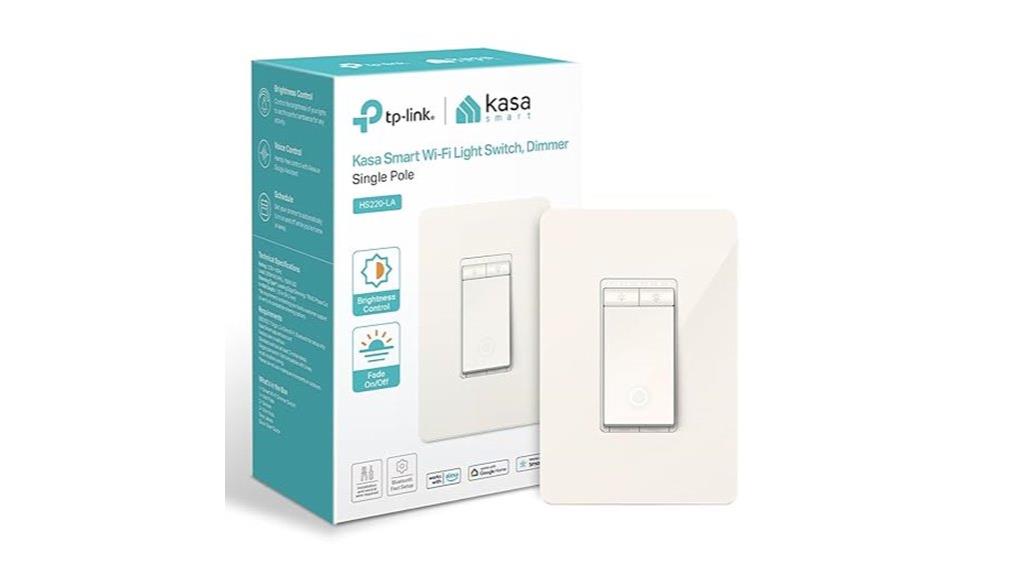
If you want a reliable smart dimmer switch that works seamlessly with your existing wiring, the Kasa Smart Dimmer Switch HS220-LA is an excellent choice. It offers adjustable brightness from 1% to 100%, fade on/off progressions, and customizable scenes to set the perfect mood. You can control it via app, voice commands with Alexa or Google Assistant, or remotely from anywhere. The switch supports grouping and scheduling for automation, and it maintains functionality during Wi-Fi outages. While installation requires neutral wiring and some electrical knowledge, Bluetooth setup simplifies the process. Overall, it’s a dependable, feature-rich option for upgrading your lighting effortlessly.
Best For: homeowners seeking a reliable, easy-to-control smart dimmer switch compatible with existing wiring and smart home systems.
Pros:
- Adjustable brightness from 1% to 100% for customized lighting moods
- Supports app control, voice commands, and remote access for convenience
- Maintains functionality during Wi-Fi outages, functioning as a traditional switch when needed
Cons:
- Requires neutral wiring and basic electrical knowledge for installation
- Larger size may necessitate faceplate modifications or adaptations
- Advanced features like grouping may require familiarity with smart home systems
Factors to Consider When Choosing a Smart Dimmer Switch No Neutral

When choosing a no-neutral smart dimmer switch, I consider factors like wiring compatibility and power load capacity to guarantee it fits my setup. I also look at voice control options and app features to make daily use easier. Finally, I check how simple it is to install and whether it integrates seamlessly with my existing smart home devices.
Compatibility With Wiring
Choosing a smart dimmer switch without a neutral wire requires ensuring compatibility with your home’s existing wiring setup. First, check if your wiring configuration matches the switch’s requirements—some are designed for no-neutral installations, while others need a neutral wire. Make sure your switch box can fit the dimmer’s size and mounting style. It’s also important to verify that the switch supports your intended load type, whether LED, CFL, incandescent, or motors. Additionally, confirm that the wiring connections—line, load, and ground—align with the switch’s instructions for proper operation. Keep in mind that many no-neutral switches are intended for single-pole circuits only, so if you have multi-way setups, you might need additional accessories or different switches. Compatibility is key for safe, reliable performance.
Power Load Capacity
Ensuring your smart dimmer switch can handle your total load is essential for safe and reliable operation. You need to verify that the switch’s maximum wattage capacity matches or exceeds your combined bulb load, such as 600W for both LED and incandescent bulbs. Check if the switch supports your specific load type—LED, CFL, incandescent, or MLV—to avoid flickering or damage. It’s important to consider all fixtures connected to the switch, especially if you’re controlling multiple lights simultaneously, as the cumulative wattage must stay within the switch’s rated capacity. Keep in mind that some switches have different ratings for LED (up to 300W) versus incandescent loads (up to 600W). Confirming these details ensures your setup is both safe and effective.
Voice Control Options
Many smart dimmer switches without neutral wires are compatible with voice control via popular assistants like Alexa, Google Assistant, and Siri, but compatibility isn’t always straightforward. Some switches support direct voice commands, while others need a compatible hub or bridge for full functionality. This can impact setup and ease of use. Additionally, voice control features might be limited at low brightness levels or with certain bulb types, so verifying compatibility with your specific voice assistant is essential. The quality of your Wi-Fi or Zigbee/Z-Wave connection also influences responsiveness and reliability. Sometimes, additional setup steps, like pairing with an app or bridge, are required, which adds complexity. Considering these factors helps guarantee your voice commands are smooth and dependable.
Ease of Installation
Installing a no-neutral smart dimmer switch can be straightforward or challenging, depending on your home’s wiring and the specific model you select. These switches typically connect via line, load, and ground wires, so some electrical knowledge is needed to guarantee proper setup. Many models require additional components like capacitors or remote switches for multi-location control, which can add to the complexity. The installation process varies—some switches need careful wiring adjustments or specific wire placements to work reliably. Clear, detailed instructions and wiring diagrams are vital to avoid issues like flickering or non-responsiveness. Compatibility with your existing wiring and electrical system also impacts how easy the installation will be, so checking these details beforehand can save you time and frustration.
App Integration Features
When choosing a no-neutral smart dimmer switch, it’s essential to take into account its app integration features to guarantee seamless control and compatibility with your smart home setup. Make sure the switch works with your preferred voice assistants like Alexa, Google Home, or Apple HomeKit, to simplify voice commands. Check if it supports automation platforms such as IFTTT or SmartThings, which allow you to create custom scenes and schedules. Confirm that it integrates smoothly with your existing smart home ecosystem for reliable pairing. The app should offer user-friendly features like remote control, scene setting, energy monitoring, and firmware updates. Additionally, multi-user access and real-time status updates within the app help manage your lighting more effectively. These features ensure better control and a more integrated smart home experience.
Multi-Location Control
To make certain you can control your lights from multiple locations, it’s important to verify that your smart dimmer switch supports multi-location control through compatible wireless accessories or app-based virtual switches. This feature allows you to operate a single light from various points without rewiring, using wireless or remote switches that communicate via Z-Wave, Zigbee, or Wi-Fi protocols. When choosing a smart dimmer, ensure it’s compatible with these accessories and can be paired easily with your home’s smart hub or network. Proper pairing and compatibility are essential for seamless operation. Multi-location control boosts convenience and safety, especially in large or multi-room areas, giving you flexibility and control from multiple points while avoiding the complexity of traditional wiring setups.
Compatibility With Bulb Types
Ever wonder if your smart dimmer switch will work smoothly with your existing bulbs? It’s crucial to check if the switch supports your bulb types—LED, CFL, incandescent, or halogen—to prevent flickering or poor dimming. Different bulbs have specific requirements, and not all switches are compatible with every brand or model. Make sure the switch’s maximum wattage capacity aligns with your total bulb wattage to avoid overloads. Some dimmers are optimized for dimmable LED or CFL bulbs, so non-dimmable or older bulbs might not work correctly. Also, consider if the switch supports load types like magnetic or electronic ballasts, especially for fixtures like ceiling fans or fluorescent lights. Compatibility ensures reliable performance and a seamless dimming experience.
Smart Home Ecosystem
Choosing the right smart dimmer switch without neutral wires means ensuring it functions seamlessly with your existing smart home ecosystem, like Alexa, Google Home, Apple HomeKit, or Zigbee. Compatibility is key to smooth integration, so double-check that the switch supports your preferred voice assistant or control method. Some switches require a hub or bridge, such as Zigbee or Z-Wave, especially when no neutral wire is available, so verify this beforehand. Additionally, consider whether the switch supports automation and scene features your ecosystem offers, allowing for advanced lighting routines. Finally, look into the ecosystem’s update and support policies to guarantee your switch remains compatible and benefits from ongoing improvements. A well-matched ecosystem simplifies control and enhances your smart home experience.
Frequently Asked Questions
Are No-Neutral Smart Dimmers Suitable for All Types of Lighting?
No-neutral smart dimmers aren’t suitable for all types of lighting. They work well with incandescent and certain LED lights, but may not be compatible with traditional CFLs or some smart bulbs that need a neutral wire for proper operation. I recommend checking your specific light fixtures and bulbs before choosing a no-neutral dimmer. This way, you’ll guarantee smooth dimming and avoid flickering or functionality issues.
How Do Dimmer Switches Affect Light Bulb Lifespan?
Did you know that using a dimmer switch can extend a light bulb’s lifespan by up to 20%? I’ve found that dimmer switches reduce wear and tear on bulbs by lowering the electrical load. When I dim lights instead of turning them off completely, I notice fewer flickers and longer-lasting bulbs. So, yes, dimmers help bulbs last longer, saving you money and hassle over time.
Can Smart Dimmers Be Used Outdoors or in Damp Locations?
Smart dimmer switches are generally not designed for outdoor or damp locations unless explicitly rated for such use. I always check the manufacturer’s specifications; if it’s labeled waterproof or weatherproof, then I feel confident installing it outside. Otherwise, I avoid using standard smart dimmers outdoors because moisture can damage the electronics and pose safety risks. So, choose switches specifically rated for outdoor or damp environments for safe, reliable performance.
What Is the Typical Installation Time for No-Neutral Smart Dimmers?
Installation of no-neutral smart dimmers typically takes me about 15 to 30 minutes, depending on my familiarity with electrical wiring and the complexity of the setup. I find that having the right tools and reading the instructions carefully helps speed things up. If you’re comfortable with basic wiring, it’s a straightforward process. For first-timers, allocating extra time guarantees you can install safely without rushing.
Do These Switches Require a Dedicated Hub or Bridge for Operation?
No, these switches generally don’t need a dedicated hub or bridge to work. They connect directly to your Wi-Fi or Bluetooth, making setup as simple as flipping a switch. It’s like having a personal assistant who’s always on standby, ready to respond. Just make sure your Wi-Fi is stable, and you’ll enjoy seamless control without extra gadgets cluttering your space. Easy, smart, and hassle-free!
Conclusion
Even if installing a no-neutral switch feels tricky at first, these options make it simple and safe. Remember, the right switch can upgrade your home’s convenience without rewiring. Don’t let the lack of neutral wires hold you back—technology has evolved to fit your needs. With a little patience and the right choice, you’ll enjoy smart lighting that’s easy to install and even easier to control. Your smarter home is just a switch away.