This guide explains how to choose, set up, and get the most from compact portable solar panels. It is intended for users who want reliable, mobile power sources for camping, travel, or emergency use. Expect to spend about 30 to 60 minutes completing the setup and initial testing.

Get compact home essentials delivered free with Prime
- Fast, free delivery on millions of items
- Prime Video, Amazon Music and more included
- Member-only deals all year
Difficulty: Intermediate | Time: 30-60 minutes
What You’ll Need
Tools & Materials:
- Multimeter (for testing voltage and current)
- Power bank or device to charge
- Appropriate connecting cables
- Optional: inverter for AC output
Knowledge:
- Basic understanding of electrical concepts
- Ability to read technical specifications
- Familiarity with safety precautions when working with electrical devices
Ensure your devices are compatible with the solar panel’s output voltage and current. Read the panel’s specifications carefully before purchase to match your power needs.
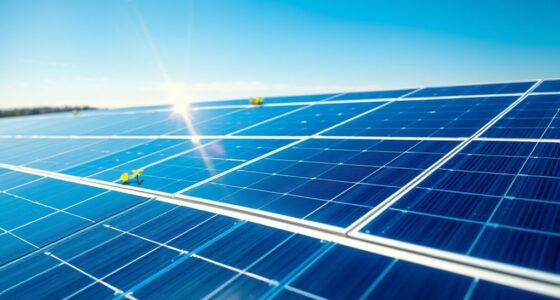
compact portable solar panel with USB output
As an affiliate, we earn on qualifying purchases.
As an affiliate, we earn on qualifying purchases.
Before You Start
Verify that your intended usage environment provides adequate sunlight and that your devices can operate within the solar panel’s output specifications. Avoid installing or positioning panels in shaded areas or where they can be easily damaged. Handle all electrical connections carefully to prevent short circuits or damage.
Step-by-Step Instructions
Step 1: Select the appropriate portable solar panel
Review specifications to choose a panel with sufficient wattage and compatible connectors for your devices. Consider size, weight, and foldability for portability.
Tip: Opt for panels with USB outputs for small devices and higher wattage for larger power needs. Check if the panel includes built-in charge controllers for safety.
Check: You have selected a panel with the correct power rating, compatible connectors, and portable design suited to your needs.
Step 2: Prepare the setup area
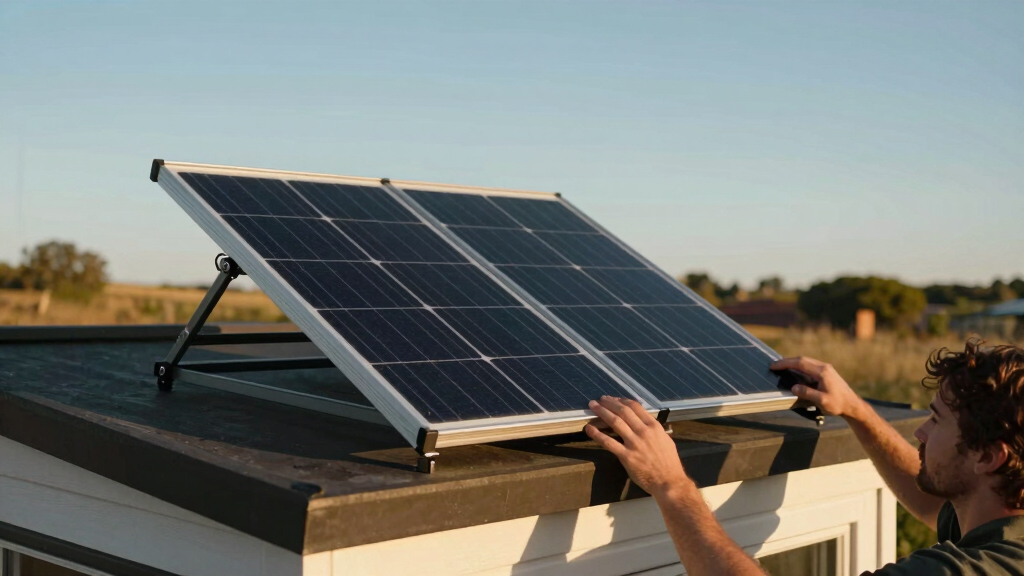
Choose a location with maximum direct sunlight, free of shade or obstructions. Place the panel on a stable, flat surface facing the sun.
Tip: Adjust the angle of the panel to maximize sunlight exposure, ideally between 15-45 degrees from horizontal, based on your latitude and sun position.
Check: The panel is positioned securely, oriented toward the sun, with no shading on the surface.
Step 3: Connect your devices or batteries
Attach the appropriate cables from the panel’s output ports to your device’s charging port or to a portable battery bank. Ensure all connections are secure and correctly oriented.
Tip: Use weatherproof connectors if operating outdoors. Confirm polarity before connecting to prevent damage.
Check: Your device or battery begins to charge without errors, and you see a steady charging indicator.
Step 4: Test the setup
Use a multimeter to measure the voltage and current output from the panel. Confirm that it matches the panel’s specifications.
Tip: Perform the test with the panel in direct sunlight for an accurate reading. Ensure connections are stable during testing.
Check: The multimeter shows voltage and current within the expected range, confirming proper operation.
Step 5: Monitor and optimize performance
Check the charging status periodically and adjust the panel’s position if sunlight conditions change. Keep the panel clean and free of debris.
Tip: Clean the panel surface with a damp cloth to maintain efficiency. Reposition the panel during different times of day for maximum exposure.
Check: Your devices are charging steadily, and the panel maintains optimal sunlight exposure.
Common Mistakes to Avoid
- Placing the panel in shaded areas or under obstructions. — Position the panel in full sunlight, avoiding shade and reflective surfaces that can reduce efficiency.
- Connecting devices with incorrect polarity or incompatible connectors. — Check polarity markings and connector types before connecting; use compatible cables.
- Overloading the panel beyond its rated capacity. — Match your device’s power requirements to the panel’s output, and do not connect multiple high-power devices simultaneously if not rated for it.
Troubleshooting
Problem: Device not charging or very slow charging.
Solution: Ensure the panel is in direct sunlight, check all connections, and verify the output voltage with a multimeter. Clean the panel surface if dirty.
Problem: Multimeter shows no voltage or current.
Solution: Confirm the panel is receiving sunlight, check all connections, and test the multimeter’s functionality with a known power source.
Problem: Panel surface appears damaged or broken.
Solution: Replace the panel if physically damaged to prevent safety hazards and ensure reliable power output.
What Success Looks Like
The solar panel produces the expected voltage and current in direct sunlight, your devices or batteries charge steadily without errors, and the setup remains stable during operation.
Next Steps
Regularly clean the panel surface and check connections for wear. Consider adding a portable inverter for AC power needs. Expand your system with additional panels or batteries as your energy requirements grow. Consult a professional if you plan larger or more complex solar setups.
Frequently Asked Questions
Can I leave my portable solar panel outside overnight?
Yes, but avoid exposing the panel to moisture or extreme weather. Use a protective cover if necessary and store it indoors after use to prolong lifespan.
What devices can I power with a portable solar panel?
Typically small electronics such as smartphones, tablets, LED lights, and small portable appliances. Larger devices require higher wattage panels or additional batteries.
How do I store my portable solar panel when not in use?
Fold or collapse the panel, store it in a dry, cool place, and keep cables neatly coiled to prevent damage.
Can I connect multiple portable panels together?
Yes, if they are compatible and correctly wired in series or parallel to increase voltage or current, but verify specifications and safety precautions first.
Halloween Picks
halloween
As an affiliate, we earn on qualifying purchases.