
TL;DR

Get compact home essentials delivered free with Prime
- Fast, free delivery on millions of items
- Prime Video, Amazon Music and more included
- Member-only deals all year
A Family Handyman report warns that smart devices left in a home can remain linked to a previous owner’s account, potentially allowing remote access. Security specialists recommend treating inherited devices as accessible until they are reset, transferred or replaced, and securing the home’s router and access codes.
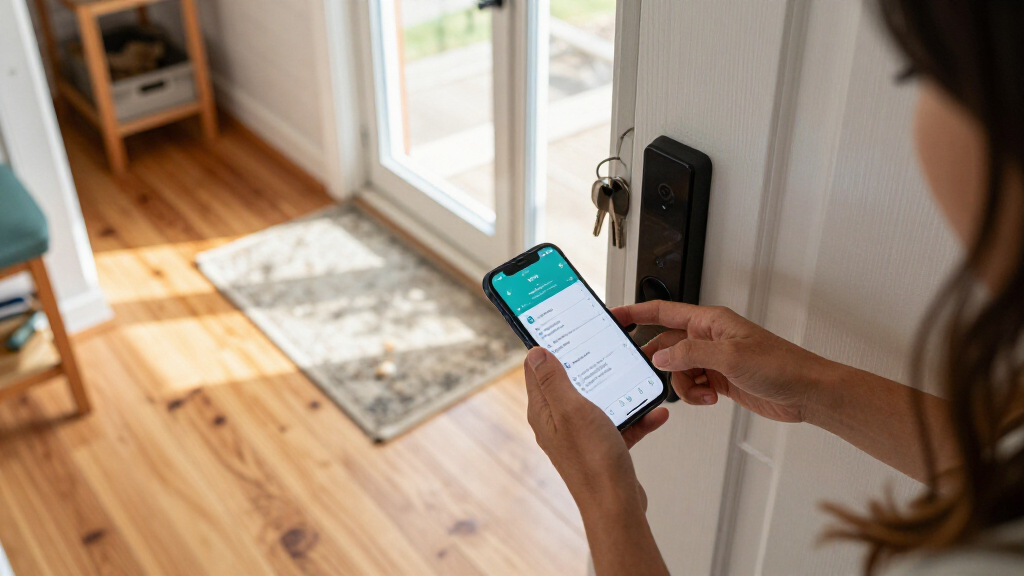
Smart cameras, locks, alarms and other connected devices left in a home may still be linked to a former owner’s account, according to a Family Handyman report citing cybersecurity specialists. The report advises new homeowners to check ownership and shared-user settings, reset inherited devices and secure the router rather than assuming that a change of house keys also ends digital access.
There is no reliable visual way to tell whether a connected device is still accessible through someone else’s account, the report says. Kurtis Baron, an offensive security specialist at Echo Secure, recommends assuming that a prior owner could still have access until the device is checked. Nathan Connell, founder and editor of Future Technology, suggests attempting to register each device through its manufacturer’s app: a message that it is already registered may indicate that an existing account remains linked. Homeowners can also inspect shared-user lists for accounts they do not recognize.
The devices to review include cameras, alarms, smart locks, thermostats and connected appliances. Some connected features may not be obvious; the Federal Trade Commission says smart functions can be difficult to identify in products such as light bulbs and security systems. Follow the manufacturer’s instructions to remove old accounts, perform a factory reset and register each device under a new account. Some products require the former owner to remove them from their account first, while manufacturers may offer a formal transfer process.
Resetting devices is only part of the work. Change keypad and alarm PINs, remove guest access and create new codes. Review the home router’s settings, set a new Wi-Fi password and check the list of connected devices. Baron recommends replacing a previous owner’s router. If a device cannot be fully reset or no longer receives security updates, the report says replacement may be appropriate. Until control is established, homeowners should not rely on inherited smart locks or cameras for security.
Digital Access Can Outlast the Sale
A home sale changes who owns the property, but it may not automatically change the account settings on every device inside it. If a previous owner or someone they authorized still has access, that person may be able to view camera feeds or remotely operate connected locks and garage equipment, Connell told Family Handyman. The report describes this as a potential access risk; it does not establish that former owners generally retain access or that a particular home has been accessed.
Checking accounts and resetting devices helps new occupants establish control over equipment that may affect privacy and physical security. The steps also matter for other people who may have been granted access by the seller, such as household members or guests. A new account, changed codes and a secured network reduce reliance on settings inherited with the property.
Products Worth Considering

Arlo Ultra 4K HDR Wireless Security Camera (3rd Gen), 3-Camera Kit with SmartHub

Philips Hue Bridge Pro Starter Kit with 4 A19 E26 Smart Bulbs

Philips Hue Smart Light Starter Kit with Bridge and 4 White and Color A19 Bulbs
As an affiliate, we earn on qualifying purchases.
What Sellers and Buyers Should Check
The report draws on guidance from the Federal Trade Commission and device makers, including Ring and Google Home and Nest. Their processes vary: some devices have a specific ownership-transfer procedure, while others may need to be removed from an old account before a new owner can register them. A factory reset should be performed according to the relevant manufacturer’s instructions; the exact steps depend on the model.
For a smoother handover, Connell recommends asking the seller for a list of connected devices included in the sale, along with manuals, hub details and transfer instructions. The FTC advises sellers to leave manuals that explain smart features, including features that are not readily apparent. Baron suggests putting in closing paperwork a requirement for the seller to remove their accounts and revoke access to included devices. These measures help buyers identify what needs attention, but the source report does not say that any one checklist guarantees every device has been transferred securely.
“It is much safer to just assume the old owner can still access them.”
— Kurtis Baron, offensive security specialist at Echo Secure, as quoted by Family Handyman
Device Access Varies by Account
The report does not establish whether any particular former homeowner still has access to a device, or how often access persists after a sale. Registration checks and shared-user lists can help identify problems, but the available information does not show that every manufacturer uses the same transfer process or that every device exposes its account status in the same way. Some products may require the seller’s cooperation or help from the manufacturer.
It is also not clear from the source whether every old device can receive current security updates or be fully reset. Buyers need to check each model’s instructions and support status. The report offers preventive steps, not evidence of a breach or a finding that inherited smart-home equipment is necessarily compromised.
Verify Each Device After Closing
New homeowners can begin by making an inventory of connected equipment, including hubs and devices that may not be obvious, then check each item’s app, registration and shared-user settings. Follow the manufacturer’s transfer or reset instructions, replace old access codes, remove guest accounts and secure the router and Wi-Fi. Where registration remains tied to a seller, contact the seller or manufacturer for the supported transfer process; replace equipment that cannot be reset or is no longer supported.
Before closing, buyers can ask for a device list and written confirmation that the seller has removed accounts and revoked authorized users. The next step depends on the devices and their manufacturers: the source report names no single deadline or universal transfer procedure. Homeowners should treat access as unresolved until they have verified control or replaced the device.
Key Questions
How can I tell whether a smart device is still linked to the seller?
Try registering it through the manufacturer’s app and check its shared-user list. A notice that the device is already registered may indicate that another account remains linked, though the process differs by manufacturer.
Which devices should I check after moving in?
Review inherited cameras, alarms, locks, thermostats and connected appliances. Also look for less obvious smart features, such as connected light bulbs, and identify any hubs the devices use.
Should I replace every smart device left by the previous owner?
No. Some manufacturers support account transfers or can help restore control. The report recommends considering replacement if a device cannot be fully reset or no longer receives security updates.
What should I change besides device accounts?
Change keypad and alarm codes, remove guest access, set a new Wi-Fi password and review the router’s connected-device list. The report also cites a specialist’s recommendation to use a new router rather than reuse the seller’s.
What should sellers provide before closing?
Ask for a list of included connected devices, manuals, hub information and transfer instructions. The report also recommends confirming that the seller removed their accounts and revoked access for people they had authorized.
Source: rss