
TL;DR
In 2026, buying a prebuilt AI workstation often matches or beats building on cost and time, thanks to component shortages and bulk discounts. The choice depends on your need for control, support, and customization.
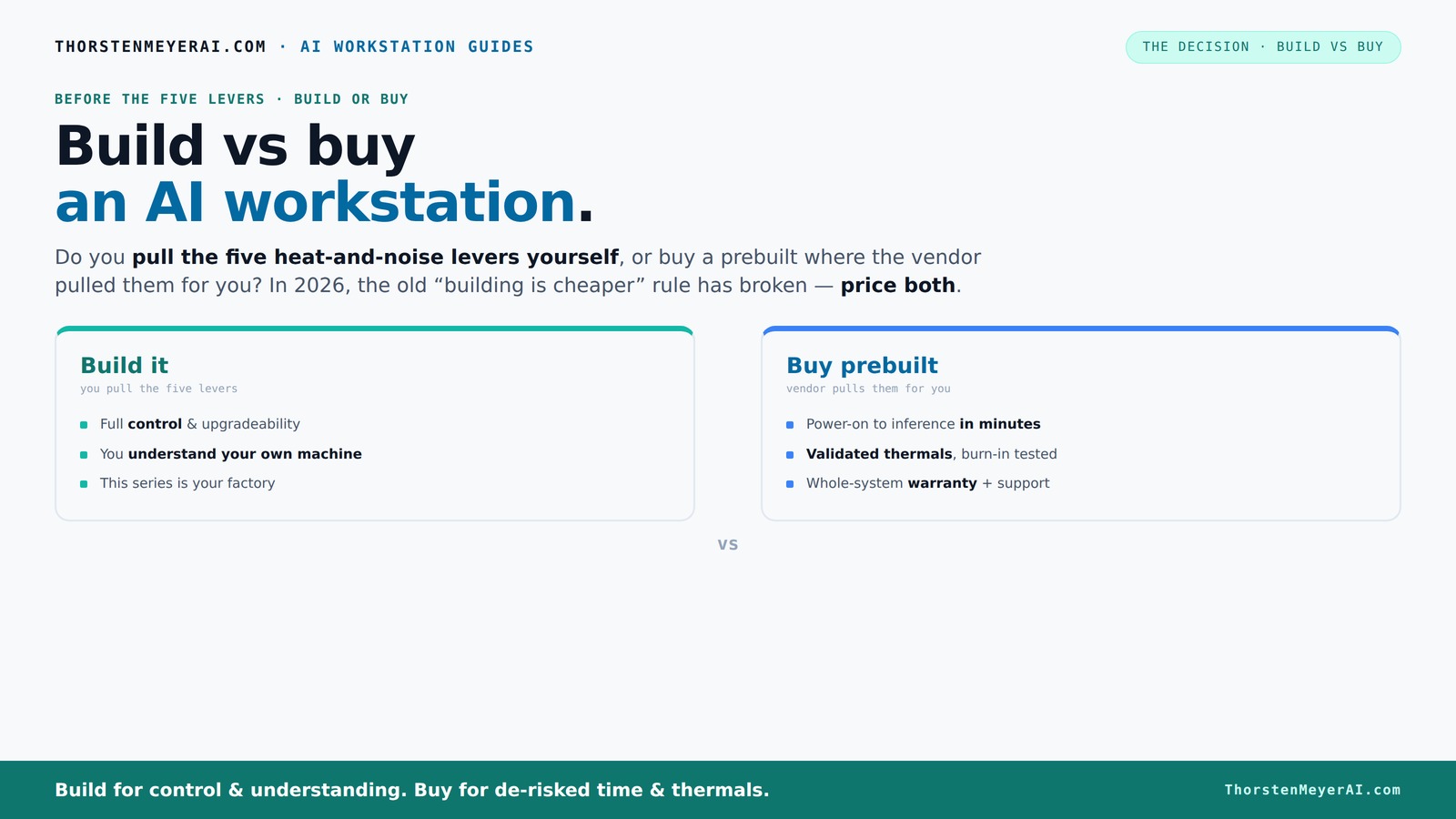
Build vs buy
an AI workstation.
The real question behind this whole series: do you pull the five heat-and-noise levers yourself, or buy a prebuilt where the vendor pulled them for you? And in 2026, the old “building is cheaper” rule has broken. Match your situation in Part 3.
Key Takeaways
- Component shortages in 2026 make prebuilt AI workstations often cheaper than DIY, especially when considering time and support.
- Prebuilts save hours of setup and troubleshooting, letting you start AI work faster and with less hassle.
- Support, warranties, and validated thermals are major advantages of prebuilt systems, reducing downtime risks.
- Building offers maximum control and upgrade flexibility—best if you enjoy tinkering or have unique needs.
- Long-term costs favor local systems over cloud for sustained AI workloads, especially with efficient hardware.

HELLOLAND Ocean of Stars AI Gaming PC Desktop - RTX 5070 12GB - AMD Ryzen 7 9700X- 16GB DDR5 RAM- 1TB PCIe +2TB SATA SSD- 850W PSU- WiFi + BT- Windows 11 -RGB Lights with Software Control - White
- Powerful Ryzen 7 Processor: 8 cores, up to 5.5GHz for multitasking
- High-Performance RTX 5070 GPU: 12GB VRAM, 4K-ready graphics
- Fast DDR5 RAM: 16GB for smooth multitasking
As an affiliate, we earn on qualifying purchases.
As an affiliate, we earn on qualifying purchases.
Why 2026 Changes Everything About Building vs Buying
Component shortages and demand spikes have driven up the cost of building your own AI rig. RAM, GPUs, SSDs — all have become pricier. A build that once cost under $1,000 now easily exceeds $1,250+ before you even add an OS. For more on hardware costs, check out this comparison. Meanwhile, prebuilt systems from vendors like Lambda or BIZON, who buy in bulk, can match or beat DIY prices.
This shifts the traditional rule: building is always cheaper. Today, it’s essential to compare both options on real-time prices. The decision now hinges on total cost, support, and how much time you want to invest in setup and tuning.
The Five Levers of Heat, Noise, and Performance — Who Handles Them?
A high-power AI workstation is like a forge: heat and noise are unavoidable. The five levers— undervolting the GPU, matching cooling, optimizing airflow, tuning fans, and strategic placement— determine how loud and hot your machine runs. For detailed tuning tips, see home improvement guides. Buying prebuilt means the vendor pulls these levers for you, validating thermals and noise levels before shipping. DIY? You do it yourself, learning as you go.
For example, a vendor like BIZON advertises systems engineered for 30% lower noise and temperature, thanks to factory tuning and water-cooling options. If you prefer hands-on control and learning, building is rewarding. Want a quiet, reliable system that works right out of the box? A prebuilt might be your best bet.
Cost Breakdown: Is a Prebuilt Really Cheaper?
| Factor | Build Your Own |
|---|---|
| Hardware parts | $1,250+ (due to shortages) |
| Assembly and setup | 8–20 hours |
| Software setup & tuning | 4–8 hours |
| Support & warranty | Individual warranties, support varies |
When you factor in the time spent sourcing, assembling, troubleshooting, and tuning, the overall cost of DIY can escalate significantly, especially if errors or compatibility issues arise. Prebuilt systems, on the other hand, benefit from economies of scale, rigorous testing, and bundled warranties. These factors often translate into a comparable or lower total cost—plus, they eliminate the hidden expenses of troubleshooting hardware conflicts or driver issues. Additionally, prebuilt systems are optimized for AI workloads, sometimes including pre-installed software or drivers that further streamline your setup. This means you’re paying for not just the hardware but also the peace of mind that comes with a validated, ready-to-run system, which can be crucial when deadlines or uptime are critical.
How Much Time Do You Save With a Prebuilt?
Building your own AI workstation can take anywhere from a weekend to several days — sourcing parts, assembling, troubleshooting BIOS, installing drivers, and tuning. This process often involves unexpected delays, compatibility issues, or hardware failures that require troubleshooting and research. In contrast, a prebuilt system arrives fully assembled, tested, and with the OS and AI stacks pre-installed. All you need to do is power it on, configure your software environment, and start training or inference.
This time savings is significant, especially for professionals with tight schedules. Discover more about home setup and productivity tips. By reducing setup time from days to hours, you can start your projects faster, meet deadlines more easily, and avoid the frustration of hardware incompatibilities. The immediate availability of a ready-to-go system means you can focus on your actual work rather than troubleshooting hardware or software issues—making the investment in a prebuilt system a strategic choice for productivity and project timelines.
Support, Warranty, and What You’re Really Paying For
Prebuilt vendors often include comprehensive support packages spanning 2–5 years, with options for on-site repairs, quick replacements, and dedicated support teams. Learn more about support and warranty options. This support reduces the risk of prolonged downtime during critical AI tasks, as hardware failures can be swiftly addressed by professionals who understand the system. For instance, Lambda offers 3-year support with on-site repairs, minimizing the impact of hardware issues on your workflow. Extended warranties from brands like Corsair or Dell further enhance peace of mind, covering parts and labor for multiple years.
In contrast, DIY support depends on individual warranties, often limited to one year, and your own troubleshooting skills. When your project depends on continuous uptime—such as in research, production, or commercial deployment—having dedicated, expert support can mean the difference between a minor hiccup and a costly delay. The value of support and warranty services is thus an investment in minimizing downtime, protecting your hardware investment, and ensuring your AI workflows stay uninterrupted.
Can You Upgrade a Prebuilt? The Truth About Flexibility
Many prebuilt systems are designed with upgradeability in mind, but the extent varies by vendor and model. For insights on customizing your setup, visit this guide. Some use proprietary cases, power supplies, or motherboard configurations that limit component swaps. For example, certain models might restrict GPU size or have limited space for additional RAM slots. Others, like Dell's Alienware or Puget Systems, emphasize modularity, allowing you to add more RAM, swap out GPUs, or upgrade storage without much hassle. These upgrade paths are often detailed in the manufacturer’s documentation, giving you confidence in future expandability.
Building your own machine offers maximum control—each component is chosen with future upgrades in mind, and you can plan your initial build to accommodate anticipated enhancements. For instance, starting with a motherboard supporting multiple GPU slots or high-capacity RAM ensures you can scale performance as your workload grows. The tradeoff is that DIY upgrades require more technical skill and careful planning, but they provide the most flexibility to tailor your system over time.
When Does Building Make Sense? Know Your Workflow and Goals
If you enjoy tinkering, want maximum control, or have specific hardware needs, building remains appealing. Hobbyists and students often find it cheaper and more educational. Plus, if you plan to upgrade frequently or customize extensively, DIY offers unmatched flexibility. Building allows you to select each component based on your specific workload—whether that’s ultra-fast GPUs, custom cooling solutions, or specialized hardware—giving you tailored performance and learning opportunities.
For example, a researcher needing a particular GPU configuration or custom cooling loop can design their system precisely to those specifications, ensuring optimal thermal and power performance. Additionally, building your own system fosters a deeper understanding of hardware, which can be valuable for troubleshooting or future upgrades, making it a strategic choice for those who want to learn and adapt over time.
Should You Cloud or Go Local? The Cost of Scaling AI
Cloud options like AWS or Azure can seem cheaper initially, but over time, running intensive AI workloads locally on a dedicated workstation can save thousands. Cloud costs for training large models accumulate rapidly, often exceeding $10,000 per month due to compute hours, data transfer, and storage fees. In contrast, a well-optimized local system incurs a one-time hardware cost and minimal ongoing expenses like electricity and maintenance. When assessing long-term costs, the initial investment in a high-performance local workstation can be amortized over months or years, resulting in significant savings.
For instance, a 2026 report indicates that for sustained, large-scale AI projects, local hardware becomes more economical after about a year of continuous use, especially when factoring in the high recurring costs of cloud compute. This makes local systems particularly attractive for research labs, startups, or enterprises with predictable workloads, where the upfront investment pays off through lower operational expenses and greater control over data and hardware.
What Specs Matter Most for AI Performance?
GPU VRAM, CPU cores, and RAM are critical for AI workloads. Larger models require more memory—GPUs with 40+GB VRAM (like the RTX 4090 Ti or A100) enable training and inference of bigger datasets without bottlenecks. More RAM (128GB+) facilitates handling large datasets in memory, reducing the need for slow disk swaps. The CPU, while still important, often becomes secondary in deep learning tasks but can impact data preprocessing and multitasking. Power supplies must be robust and reliable, and cooling solutions should be capable of sustaining high loads without thermal throttling. These hardware choices directly influence training speed, model size, and system stability, making them fundamental to achieving optimal AI performance.
For example, opting for a system with a 48GB VRAM GPU and ample RAM ensures you can handle complex models and large datasets efficiently, saving hours or days of training time. Prioritizing these specs helps future-proof your workstation, allowing you to adapt to evolving AI workloads without costly upgrades.